RET.ai
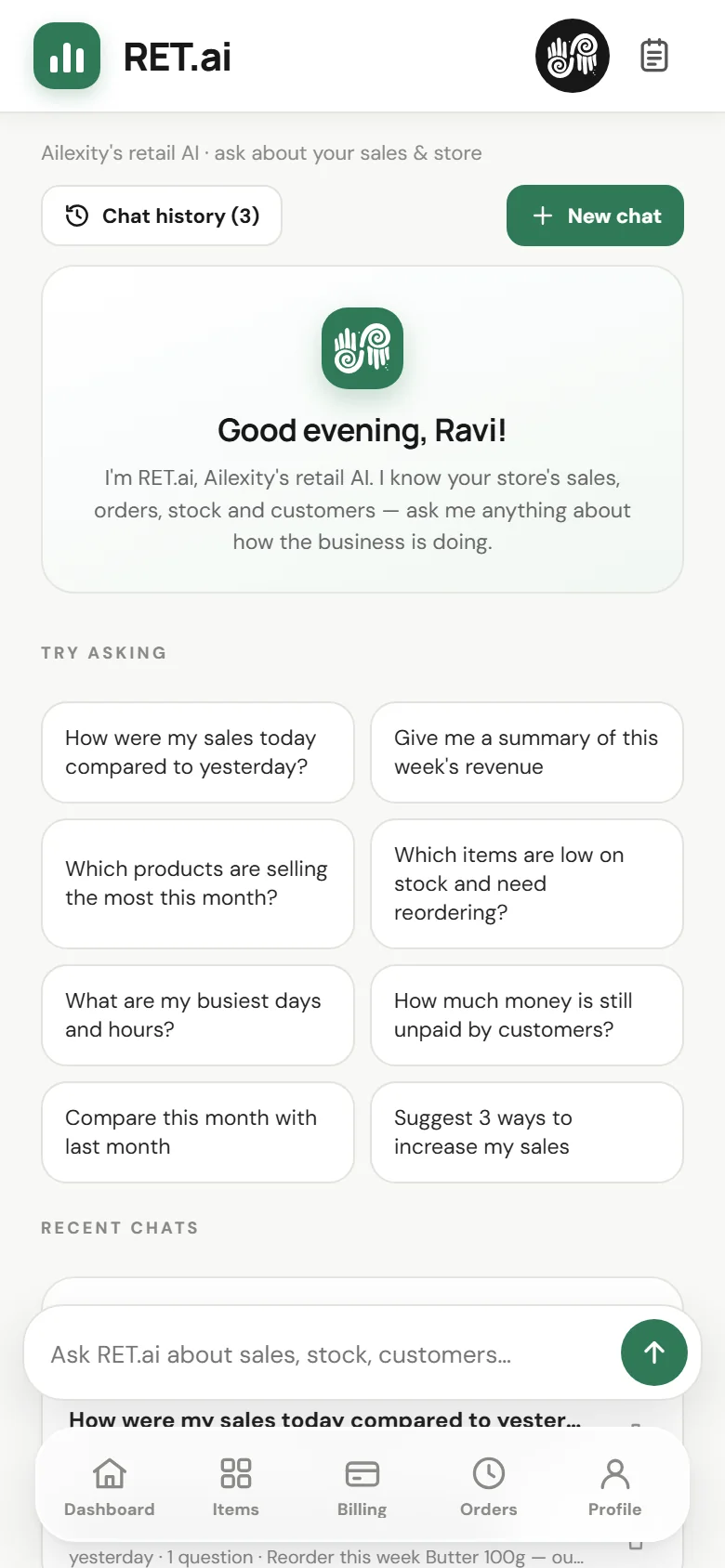
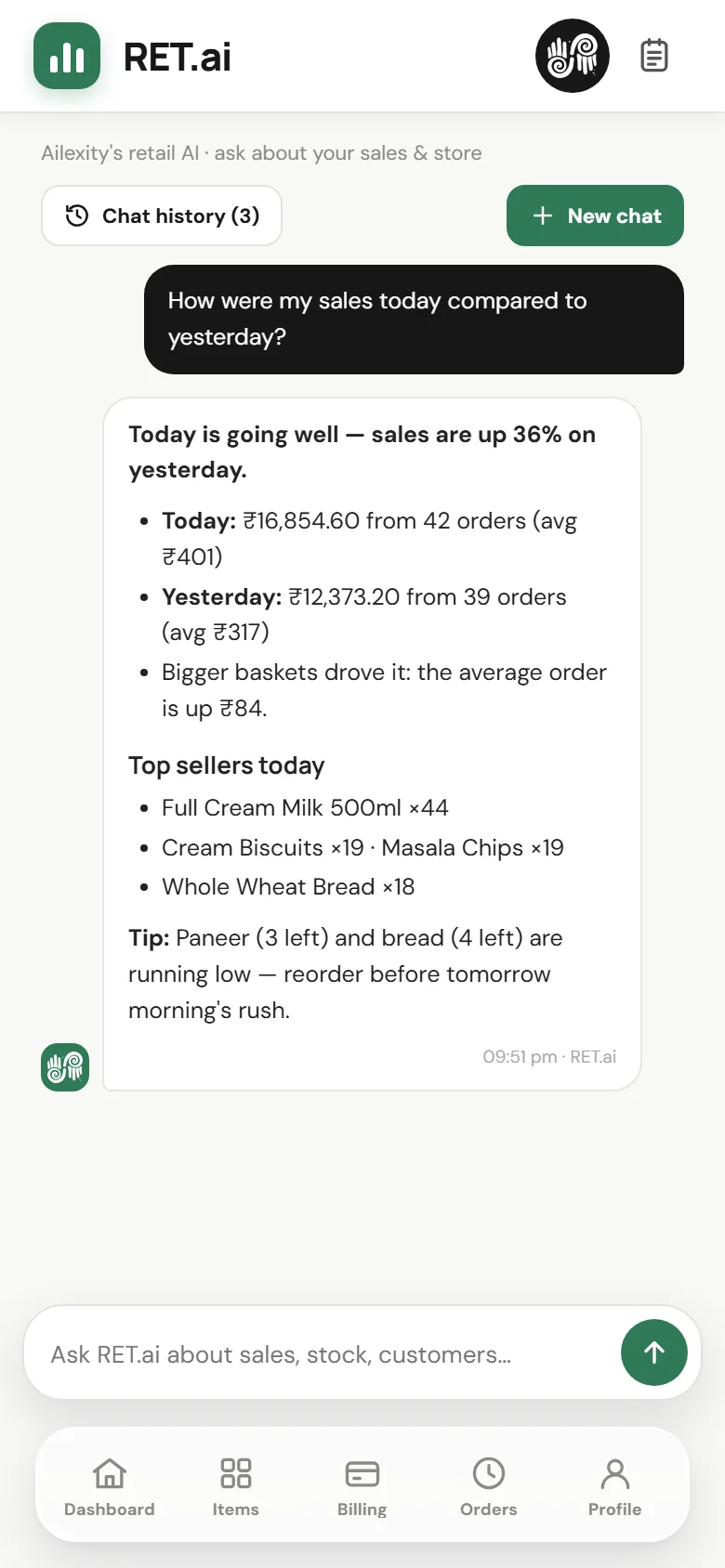
Ask about today's sales, your best sellers or what to reorder. Answers come from your own bills and stock, worked out fresh for every question.
- Sample questions start every chat
- Chats saved on the same page
Introducing RET.ai
Bill fast. Ask anything.
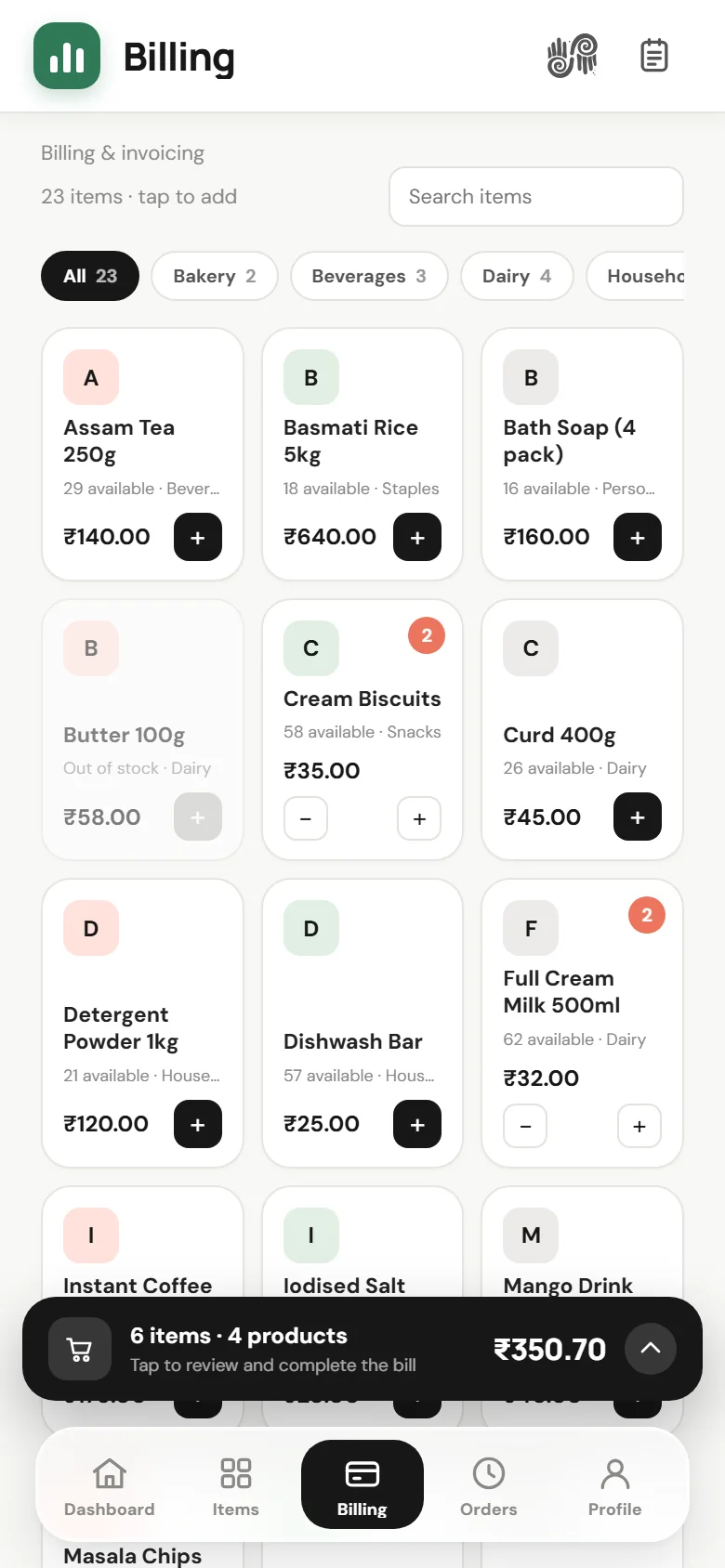
A point-of-sale app with RET.ai built in: ask how today compares with yesterday, what to reorder or who still owes you — and get answers from your own bills, in seconds.
Meet RET.ai
RET.ai is Ailexity's retail AI. The moment you ask, it reads your bills, items and stock and answers about your shop — sales, best sellers, slow movers, unpaid bills, what to reorder — in plain words, in whatever language you type.
Built to perform
Everything inside
Every tool below ships in the app today — the store workspace for owners and staff, plus the console the Ailexity team runs.
Ask about today's sales, your best sellers or what to reorder. Answers come from your own bills and stock, worked out fresh for every question.
Items into the cart, a discount, your tax rate, the customer's number — and the invoice the moment payment lands.
Numbered from INV-0001 the moment payment is confirmed, with your store details, tax label and a note of your own.
One tap opens the invoice in WhatsApp and marks the order as sent; the customer opens the full receipt from the link.
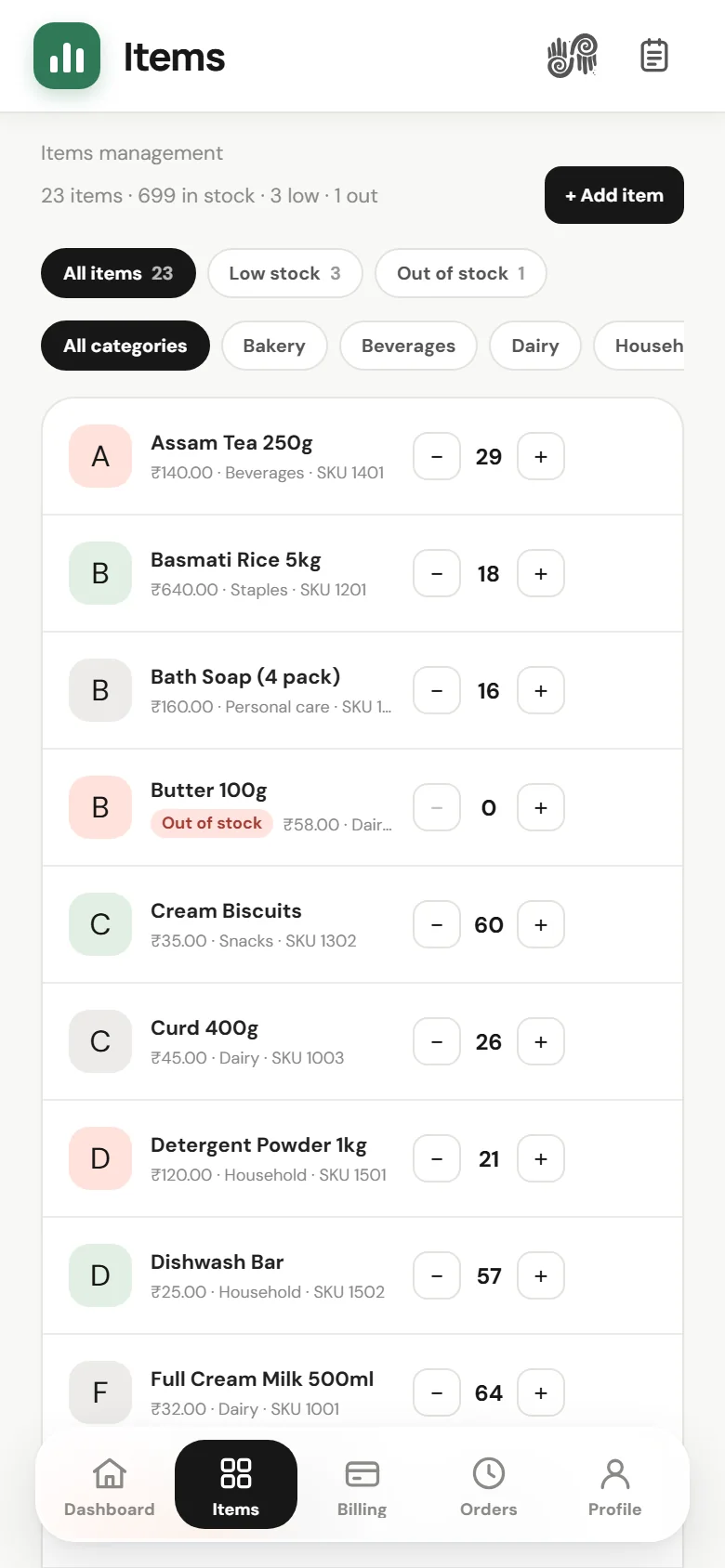
A catalogue with categories and a low-stock level per item. Stock drops as orders complete and returns if they are cancelled.
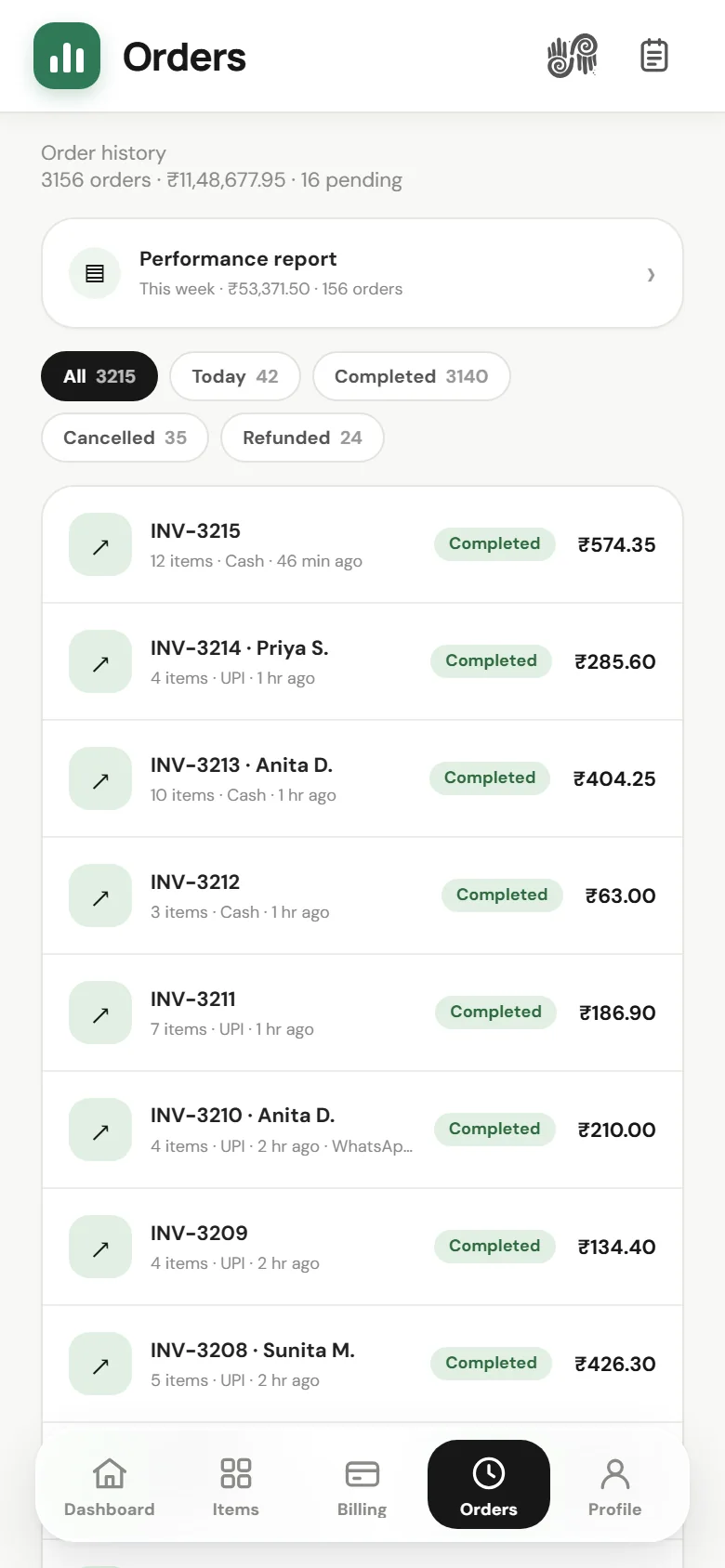
Every order's items, totals, payment, invoice and WhatsApp status — with its full timeline from created to sent.
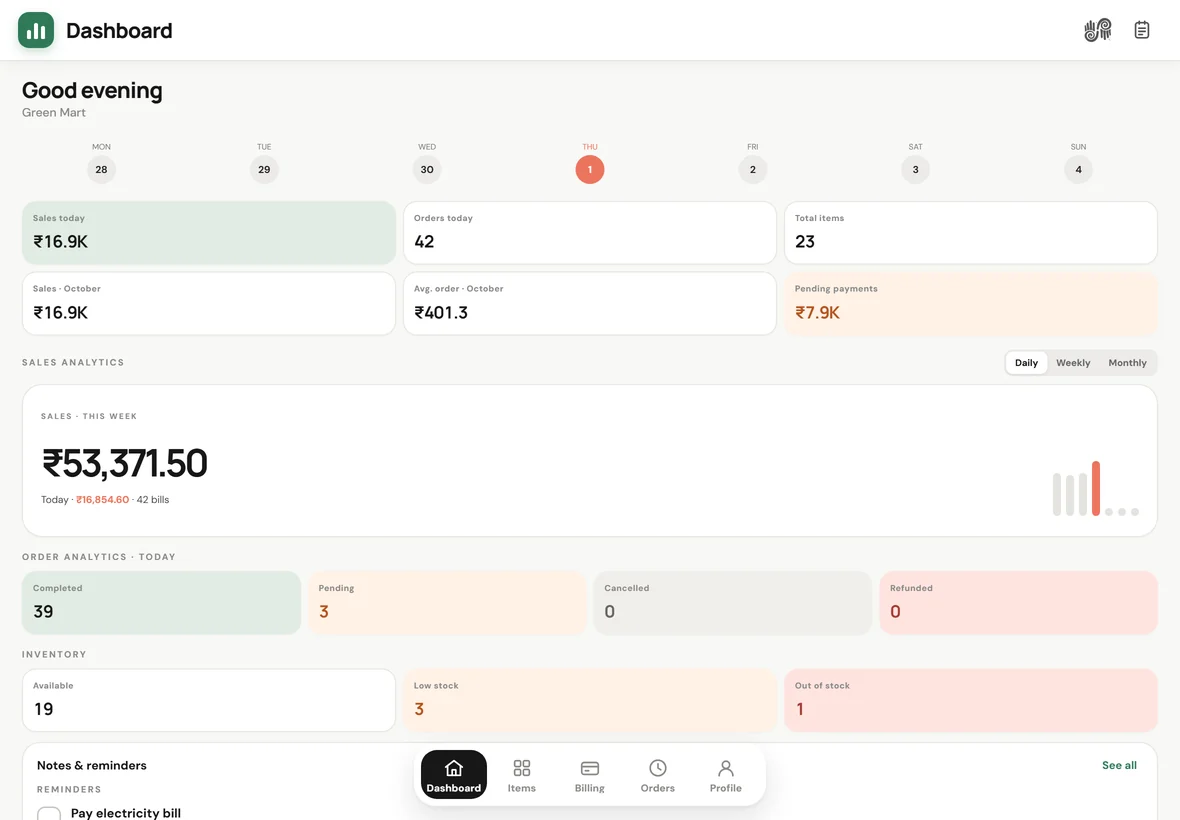
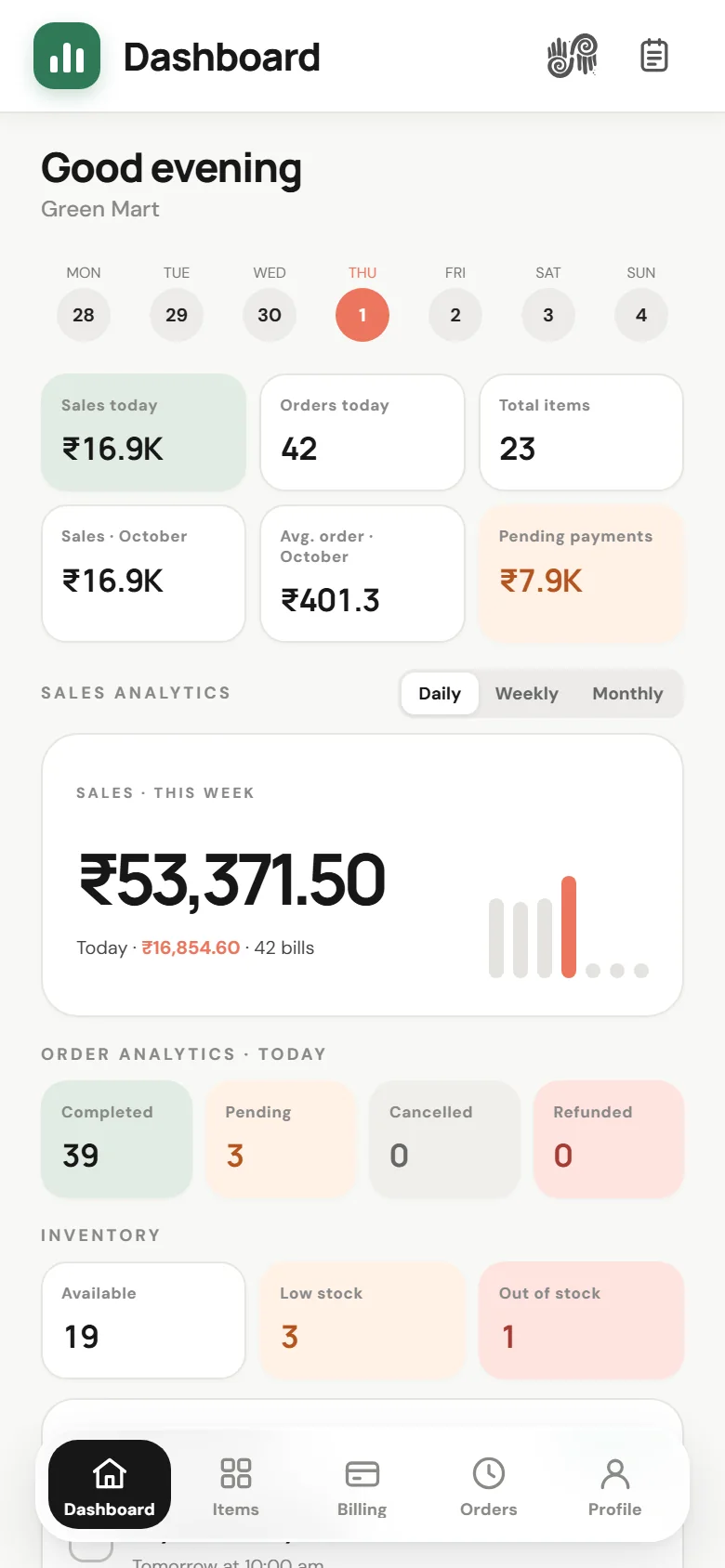
Sales and orders today, monthly sale, average order value and pending payments — then the analytics underneath.
Any range up to a year: best day, payment split, top items, and a day-by-day table in a downloadable A4 PDF.
A private notebook on every page. Write and it saves itself; reminders pop up at their time and stay flagged if missed.
Announcements from the platform arrive on the dashboard; write back from your profile and follow the status.
Store details, billing and inventory defaults, your password — and how to reach us if something is wrong.
The Ailexity side: retailer statistics, revenue, alerts, recent activity and the full onboarding wizard.
Get the app
Put Ailexity Retail on the phone that sits at the counter. It runs full screen with its own icon, and one store account works on every phone in the shop.
Download APKThe Android package is distributed from this page, not from the Play Store.
Tap Download on the phone that sits at the counter. Chrome asks you to confirm the download — keep it.
The first time, Android asks to allow installs from your browser — allow it, then open the file and install. Ailexity Retail gets its own icon.
Add your fast movers, set your tax rate once, take the first bill — and ask RET.ai how the day went.
Questions
Something else? Write to ailexity.info@gmail.com and we will answer.
In a data folder on the machine running your store — items, bills, orders, notes and settings. Backing up is copying that folder. Nothing is written to anyone else's cloud.
Only your own store's numbers, sent to the AI service your server is set up with when you ask a question. Run a local model on the server and nothing leaves your machine. Chats are private to your store.
No. There is no plan attached to your store and no end date on it, so you are never locked out mid-sale because a subscription lapsed.
The Ailexity ecosystem
One store account on every counter phone, PDF reports for your accountant, invoices customers open from WhatsApp, and RET.ai on all of it — served from a machine you control.
Explore install optionsTechnical overview
Download the app and you are billing in a minute — no approval queue, no activation key, nothing to renew.
Download APK